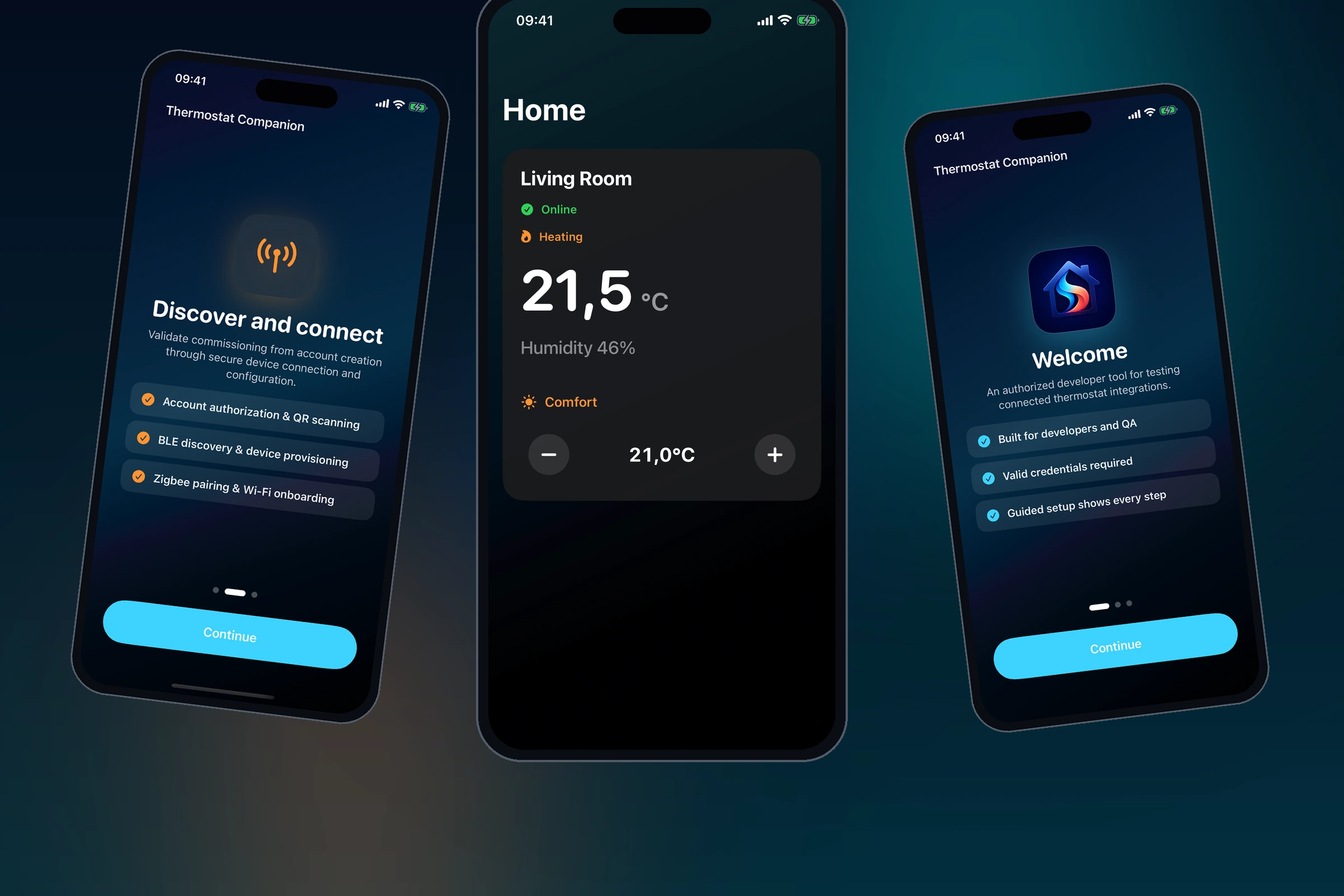
Why I Built It
Thermostat setup involves permissions, QR codes, Bluetooth, secure communication, HVAC configuration, accessories, Wi-Fi, and cloud services. I wanted to see how those steps could work as one understandable flow instead of a collection of technical tasks.
I designed the product flow and built the app in SwiftUI. It covers setup, recovery, synchronization, and everyday climate control.
Product Approach
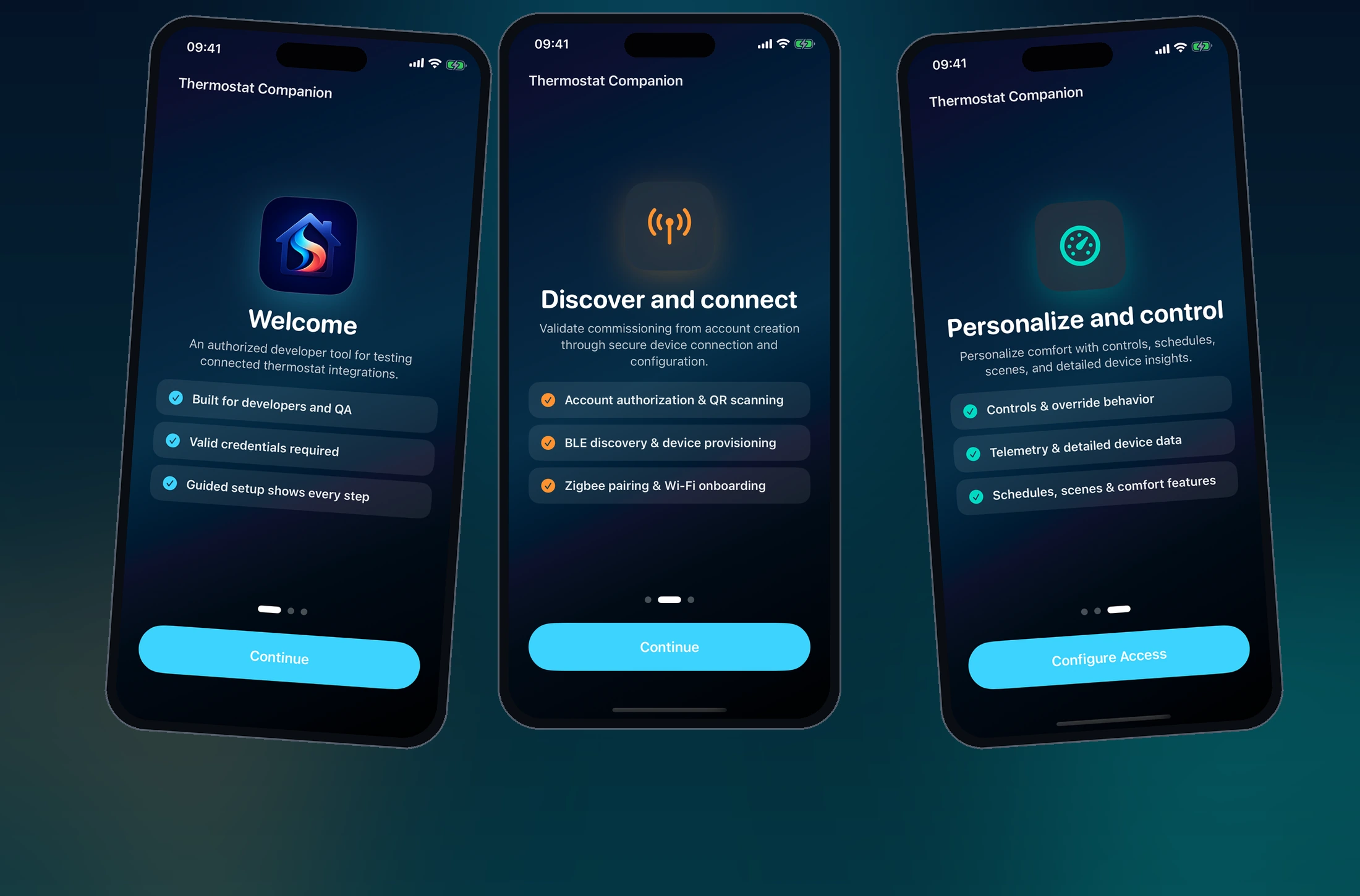
The app uses an explicit onboarding state machine. Each screen has one job, shows what the app is doing, and provides a recovery path when a device or service is unavailable.
Guided Onboarding
The setup journey covers authorization, permissions, QR scanning, Bluetooth discovery, secure device provisioning, HVAC profile selection, accessory pairing, Wi-Fi setup, and final synchronization.
Daily Control
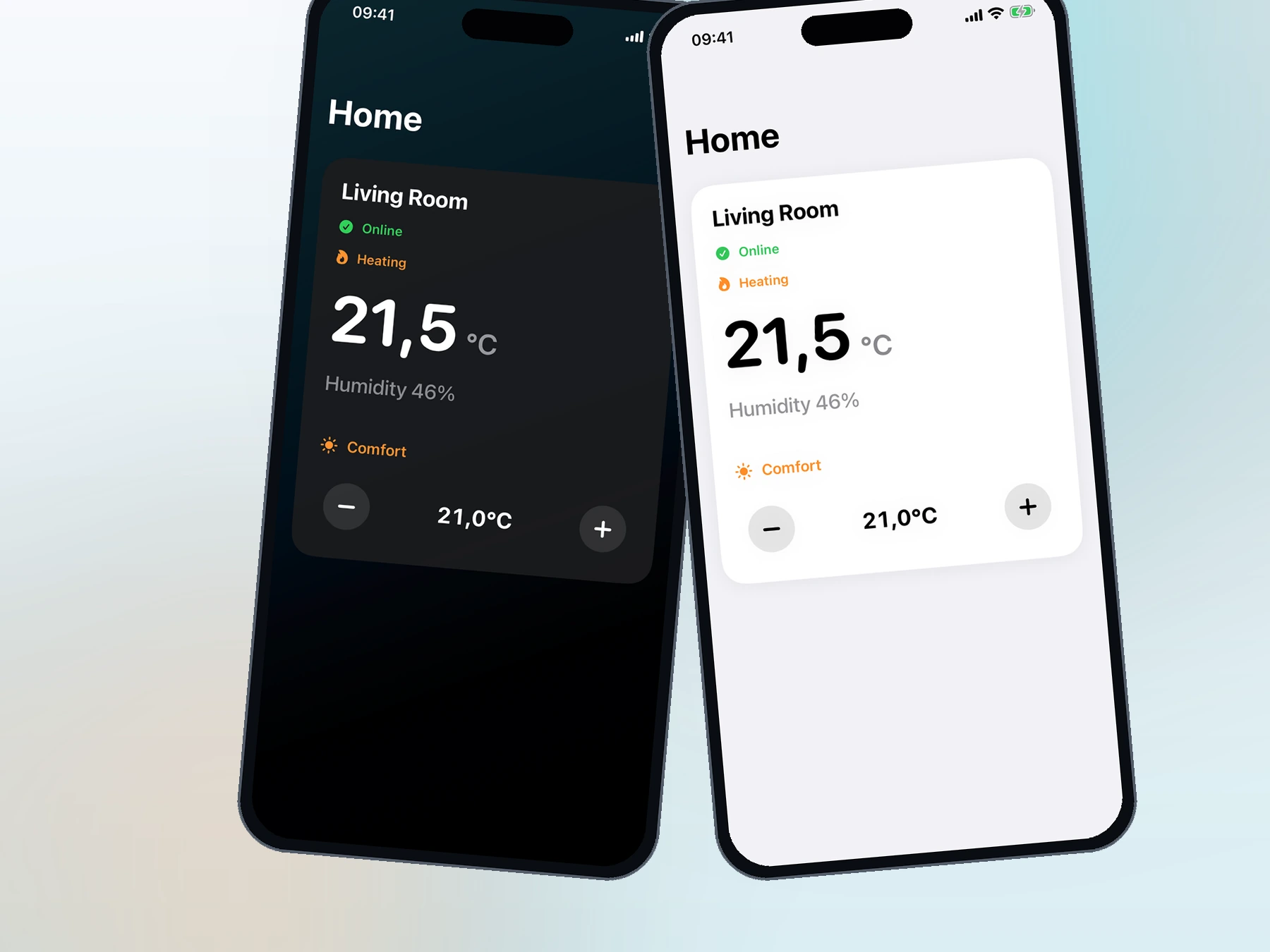
After setup, the app shows live temperature, humidity, heating state, scenes, schedules, setpoint controls, and device settings in one dashboard.
What I Built
- A native SwiftUI application with an explicit onboarding state machine.
- QR scanning through AVFoundation and nearby-device communication through CoreBluetooth.
- Secure local storage and encrypted device sessions.
- Separate async services for Bluetooth, cloud communication, and permissions.
- Mock services and fictional data for repeatable testing and safe demonstrations.
- Light and dark dashboard layouts that use the same information structure.
Current Result
The working prototype covers the path from device discovery to daily control. Because the service boundaries are mocked, I can test the complete interface without live customer systems or physical hardware.
Back to all work